Components: what happens after a click
A useful component has to survive the move from a beautiful preview into someone else's product.
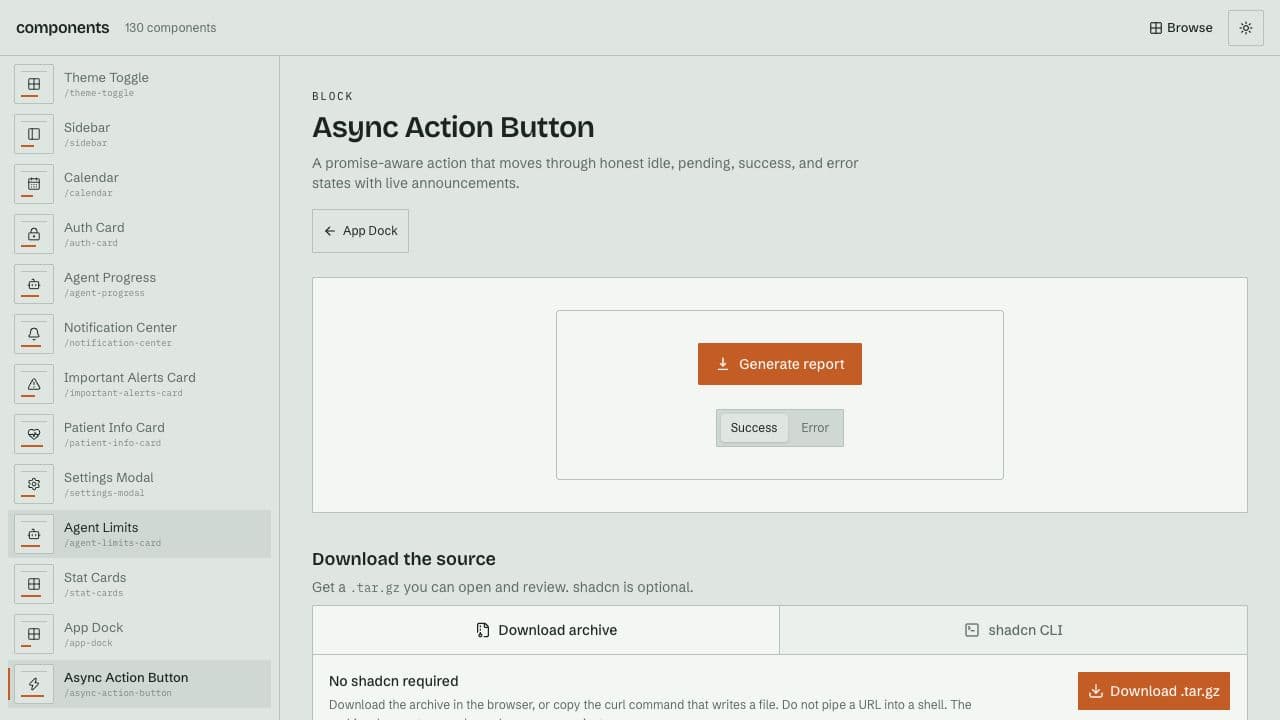
Try example ↗The loading button has four states: idle, pending, success and error. The small detail worth looking at is reset. It changes the state of the button while the original promise can keep running.
The Components catalog distributes React and Tailwind dashboard parts as source. It offers downloadable archives for inspection and an optional shadcn registry path. That makes the handoff itself part of the product experience.
Show what changes with context
The catalog’s LoadingButton uses a useAsyncAction hook with four states: idle, pending, success and error. Its phase ref blocks duplicate pending actions, and a run identifier prevents an older promise from settling a newer interaction. The example below runs that hook verbatim, with a smaller presentation and a simulated promise.
What reset does to a pending action
Run, reject or reset the action. The promise and the UI have separate lifetimes.
- Idle
- Pending
- Success or error
Reset increments the run identifier. When an earlier promise finishes, its identifier no longer matches and the hook ignores its result. The component’s original presentation also accounts for reduced motion, aria-busy, and an announced success or failure. These are part of the behavior that should survive copying.
if (phase.current === "pending") return

// Inside settle: ignore an obsolete or unmounted run.
if (!alive.current || id !== runId.current) return
There is a limit to what reset does: it invalidates the UI result, but it does not cancel the underlying action. The hook accepts no abort signal. A component that performs network work may need a separate cancellation contract, and a success label alone does not establish that the server persisted the result.
Treat the source as a deliverable
The catalog's archive route lets someone review the source before extracting it into a project. Its registry build, audit and test commands provide another part of that handover: a way to check the published files and installation targets against the catalog.
Provenance travels with the code too. The repository documents attribution for its motion-effect ports. A library becomes more useful when a person can distinguish original work from an adaptation and understand the terms under which each part can be reused.
Before using it
When copying this hook, decide whether the underlying task also needs cancellation. Ignoring an old result protects the interface from a stale update. Cancelling a request requires support from the action itself.
The interactive example runs the inspected hook with a simulated promise. For installation files, provenance and the public catalog, use the Components link above.